
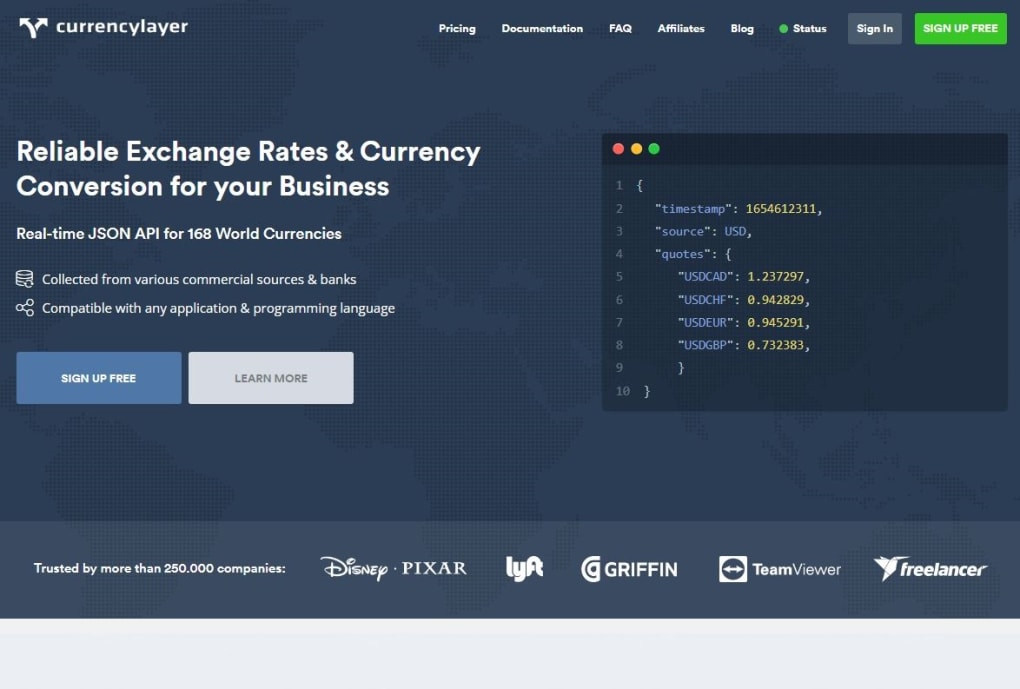

Download currencylayer – free real‑time exchange rate API
Overview
currencylayer is a cloud‑based financial tool that delivers real‑time exchange‑rate data through a lightweight JSON‑REST API. Developed by the APILayer family, this service covers 168 world currencies, a range of precious metals, and offers historical rates that stretch back 19 years. The platform is built for developers, finance teams, and businesses that need reliable, low‑latency currency information for back‑office systems, e‑commerce platforms, mobile apps, or any other integration point.
What makes currencylayer stand out is its flexible delivery model: rates can be refreshed hourly, every ten minutes, or even every second for premium subscribers, ensuring that applications always work with the most up‑to‑date market data. The free tier provides unlimited calls with basic features, while three paid plans unlock advanced functionality such as secure HTTPS (SSL) connections, higher request limits, and priority support. By abstracting the complexity of forex data aggregation—drawing from multiple commercial providers, banks, and proprietary algorithms—currencylayer offers a single, consistent endpoint that returns data in a universally parsable JSON format.
This simplicity reduces development overhead, shortens time‑to‑market, and eliminates the need for developers to manage multiple data sources or worry about data normalization. Whether you are building a currency converter widget, a multi‑currency invoicing system, or a sophisticated trading algorithm, currencylayer supplies the foundation you need: accurate, fast, and globally‑covering exchange‑rate data, all accessible via a clean, well‑documented API.
Key Features
- Live endpoint delivering real‑time spot rates for 168 currencies and precious metals.
- Historical endpoint with 19‑year archive, searchable by date range.
- Convert endpoint that instantly transforms any amount between supported currencies.
- Timeframe endpoint for retrieving rates over a custom period (hourly, daily, monthly).
- Change endpoint exposing daily, weekly, and monthly percentage movements.
- Flexible update intervals: hourly (free), every 10 minutes, or every 60 seconds (paid).
- Secure HTTPS (SSL) for paid plans, ensuring encrypted data transfer.
- Unlimited API calls on the free tier, with higher request caps for enterprise plans.
- Comprehensive, example‑rich documentation with quick‑start guides and SDK snippets.
- Global coverage: includes major, minor, and exotic currencies plus XAU, XAG, and other metals.
Each feature is exposed through a dedicated endpoint, allowing developers to request exactly the data they need without excess payload. The API responses follow a consistent schema, making it straightforward to map fields into databases, dashboards, or UI components. For example, the live endpoint returns a JSON object that includes the base currency, a timestamp, and a dictionary of currency codes paired with their current rates.
The historical endpoint adds a date field for each entry, enabling time‑series analysis without additional processing. The conversion endpoint accepts parameters such as from, to, and amount, returning a single converted value and the exchange rate used, which is perfect for checkout flows or financial calculators. Finally, the change endpoint supplies both absolute and percentage changes, helping traders and analysts quickly spot market trends.
All these capabilities are bundled in a single, developer‑friendly API that can be consumed from any language that supports HTTP requests, be it JavaScript, Python, PHP, or Java.
Installation & Quick‑Start Guide
Getting started with currencylayer is designed to be as frictionless as possible. Follow these steps to integrate the API into your application:
1. Sign‑up and obtain an API key
Visit the currencylayer website and create a free account. After confirming your email, the dashboard presents a unique alphanumeric API access key. This key authenticates every request you make, so keep it confidential.
2. Choose the appropriate endpoint
The API base URL is http://api.currencylayer.com/ for the free tier (HTTPS is enforced on paid plans). Append the endpoint name (e.g., live, historical, convert) and include your access key as a query parameter: ?access_key=YOUR_KEY. Example for a live rate request:
https://api.currencylayer.com/live?access_key=YOUR_KEY¤cies=EUR,GBP,JPY3. Parse the JSON response
All responses are returned in JSON. A typical live response looks like:
{
  "success": true,
  "terms": "https://currencylayer.com/terms",
  "privacy": "https://currencylayer.com/privacy",
  "timestamp": 1729856400,
  "source": "USD",
  "quotes": {
    "USDEUR": 0.9234,
    "USDGBP": 0.8045,
    "USDJPY": 148.23
  }
}
Extract the quotes object to retrieve the rates you need. Most programming languages provide built‑in JSON parsers, making this step trivial.
4. Integrate conversion logic (optional)
If you need on‑the‑fly conversion, use the convert endpoint:
https://api.currencylayer.com/convert?access_key=YOUR_KEY&from=USD&to=EUR&amount=150The response returns the converted amount and the exact rate used, which you can display directly to users.
5. Implement error handling and rate limits
All error messages are provided in the error object with a standardized code. For example, a missing or invalid key returns {"success":false,"error":{"code":101,"info":"Invalid Access Key."}}. Free accounts are limited to 250 requests per month; paid plans raise this ceiling dramatically, but you should still code graceful fallback mechanisms.
6. Secure your integration (paid plans)
When you upgrade, your API endpoint switches to https://apilayer.net/api/ with SSL encryption. Update your base URL accordingly and verify that your server supports TLS 1.2 or higher.
Following these steps, you can have a functional currency conversion feature up and running within minutes, regardless of the platform—be it a Node.js backend, a Python Flask service, or a client‑side JavaScript widget.
Compatibility, Pros & Cons
currencylayer is a platform‑agnostic web service. Because it communicates over HTTP(S) and returns JSON, it works with any operating system that can make web requests—Windows, macOS, Linux, Android, iOS, and server‑side environments alike. The only prerequisite is an internet connection and a programming language or tool capable of handling HTTP and JSON (e.g., cURL, Postman, fetch API, Axios, Requests library).
Pros
- Extensive coverage of 168 currencies plus precious metals.
- Historical data spanning 19 years, useful for back‑testing and analytics.
- Simple, consistent JSON format that integrates with any stack.
- Free tier with unlimited calls—great for testing and low‑traffic apps.
- Fast response times (sub‑second latency on paid plans).
- Comprehensive documentation with code snippets for major languages.
- Secure HTTPS available for premium users, meeting compliance requirements.
- Scalable pricing model—from free to enterprise‑grade plans.
Cons
- Free tier is limited to hourly updates; real‑time (10‑second) data requires a paid plan.
- No native SDKs—developers must build their own wrappers.
- Rate limits on the free plan may be restrictive for high‑traffic applications.
- Historical endpoint returns data in bulk; large date ranges may require pagination handling.
- Support response times can vary for free users.
Overall, the compatibility advantages outweigh the limitations. Even on the free tier, developers gain access to a reliable source of exchange‑rate data without the overhead of managing their own data feeds. For businesses that need guaranteed uptime, SSL encryption, and faster update intervals, the paid plans provide a straightforward upgrade path.
Frequently Asked Questions
What is the difference between the free and paid plans?
The free plan offers unlimited API calls with hourly rate updates, JSON responses, and basic support. Paid plans unlock higher request limits, real‑time updates (every 10 minutes or every second), secure HTTPS (SSL), priority email support, and access to premium endpoints like the change and timeframe APIs.
Can I use currencylayer for commercial projects?
Yes. All plans—including the free tier—allow commercial usage. However, if your application requires higher reliability, faster update intervals, or compliance with data security standards, it’s recommended to upgrade to a paid plan.
How do I secure my API key?
Treat the API key like a password. Store it in environment variables or secure vaults, never hard‑code it into client‑side code, and restrict usage to your server IPs where possible. Paid plans automatically enforce HTTPS, which encrypts the key in transit.
Does currencylayer provide a sandbox environment?
currencylayer does not have a separate sandbox. The free tier serves as a low‑risk environment for testing, as it provides unlimited calls without financial commitment. You can simulate production usage by switching your API key to a paid plan when you’re ready.
What data formats are supported besides JSON?
JSON is the only officially supported format, which is intentional to keep the API lightweight and universally compatible. If you need XML or CSV, you can convert the JSON response on your server using standard parsing libraries.
These FAQs cover the most common concerns developers encounter when evaluating currencylayer. If you have additional questions, the documentation portal offers detailed guides, and the support team is reachable via email for paid subscribers.
Final Verdict & Call to Action
currencylayer stands out as a robust, developer‑friendly solution for real‑time and historical exchange‑rate data. Its extensive coverage, simple JSON interface, and flexible pricing make it suitable for startups, e‑commerce platforms, and large enterprises alike. While the free tier’s hourly updates may be insufficient for high‑frequency trading applications, the paid plans deliver sub‑minute refresh rates, SSL encryption, and higher rate limits, ensuring that performance‑critical systems receive the data they need when they need it. By providing both live and conversion endpoints, currencylayer reduces the need for multiple third‑party services, simplifying architecture and cutting operational costs. For anyone looking to add reliable currency conversion, historical analysis, or metal price tracking to their product, currencylayer is a compelling choice that balances ease of use with powerful features.
Ready to start building? Sign up for a free account now and receive an instant API key. Test the live endpoint within minutes, explore historical data, and upgrade whenever you’re ready for real‑time precision and secure HTTPS. Take the guesswork out of forex data and let currencylayer handle the heavy lifting so you can focus on delivering value to your users.



.png)



